Get your setup working faster. Join our Discord for optimisation tips from elite testers.Join our Discord
Integrate your Appium test suite with Teamcity
Integrate your Appium test suite with Fastlane and the BrowserStack device cloud for native and hybrid apps using our TeamCity plugin.
Integrate your Appium test suite with Fastlane and the BrowserStack device cloud for native and hybrid apps using our TeamCity plugin.
TeamCity is a Java-based build management and continuous integration server from JetBrains.
Note: Use our TeamCity plugin to integrate BrowserStack with ease.
Features
Manage your BrowserStack credentials globally or per build job.
Create a build step to upload your app build to the BrowserStack server.
Set up and teardown BrowserStack Local for testing internal, dev or staging environments.
Installing the Plugin
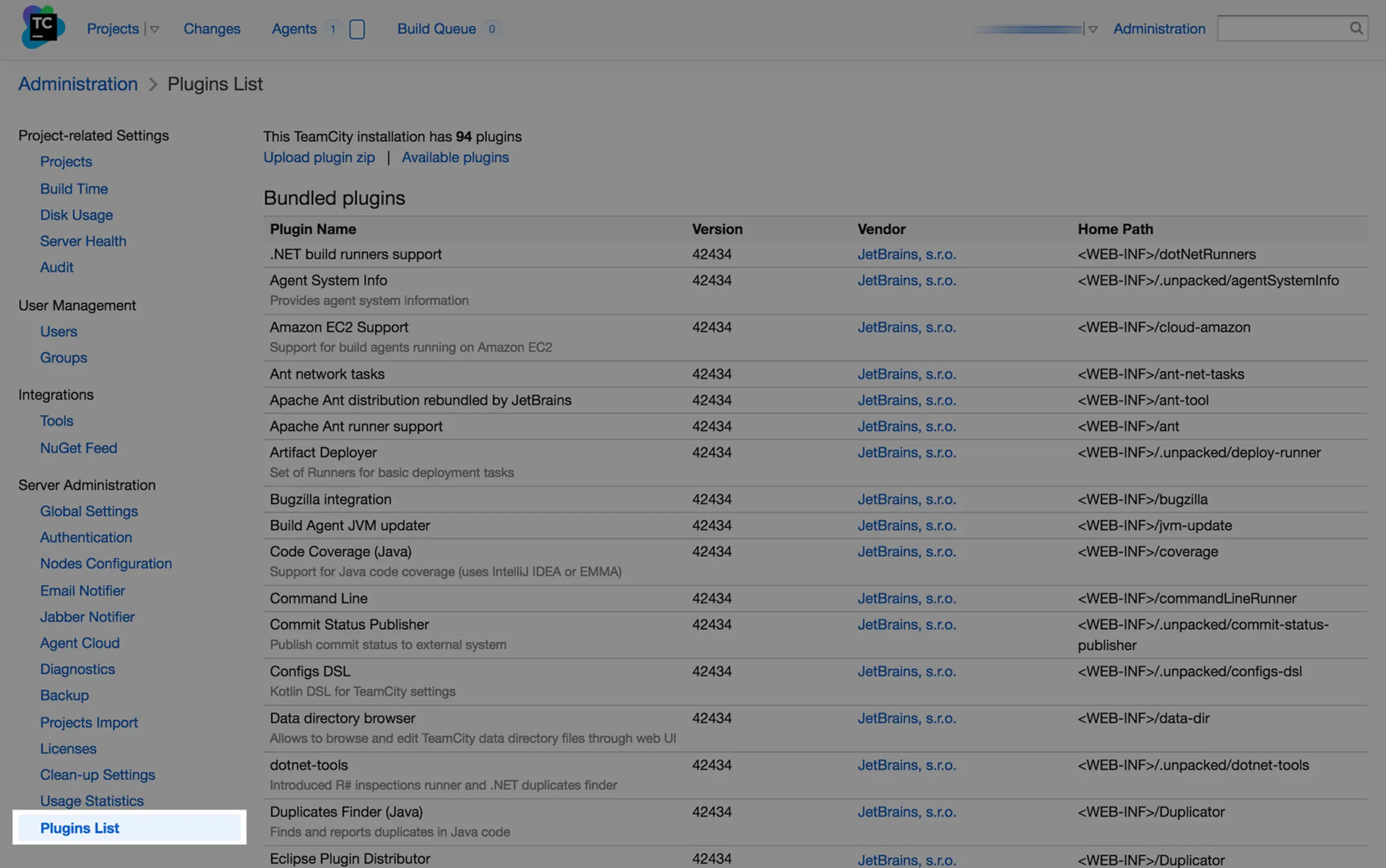
Go to Server Administration and click Plugins List
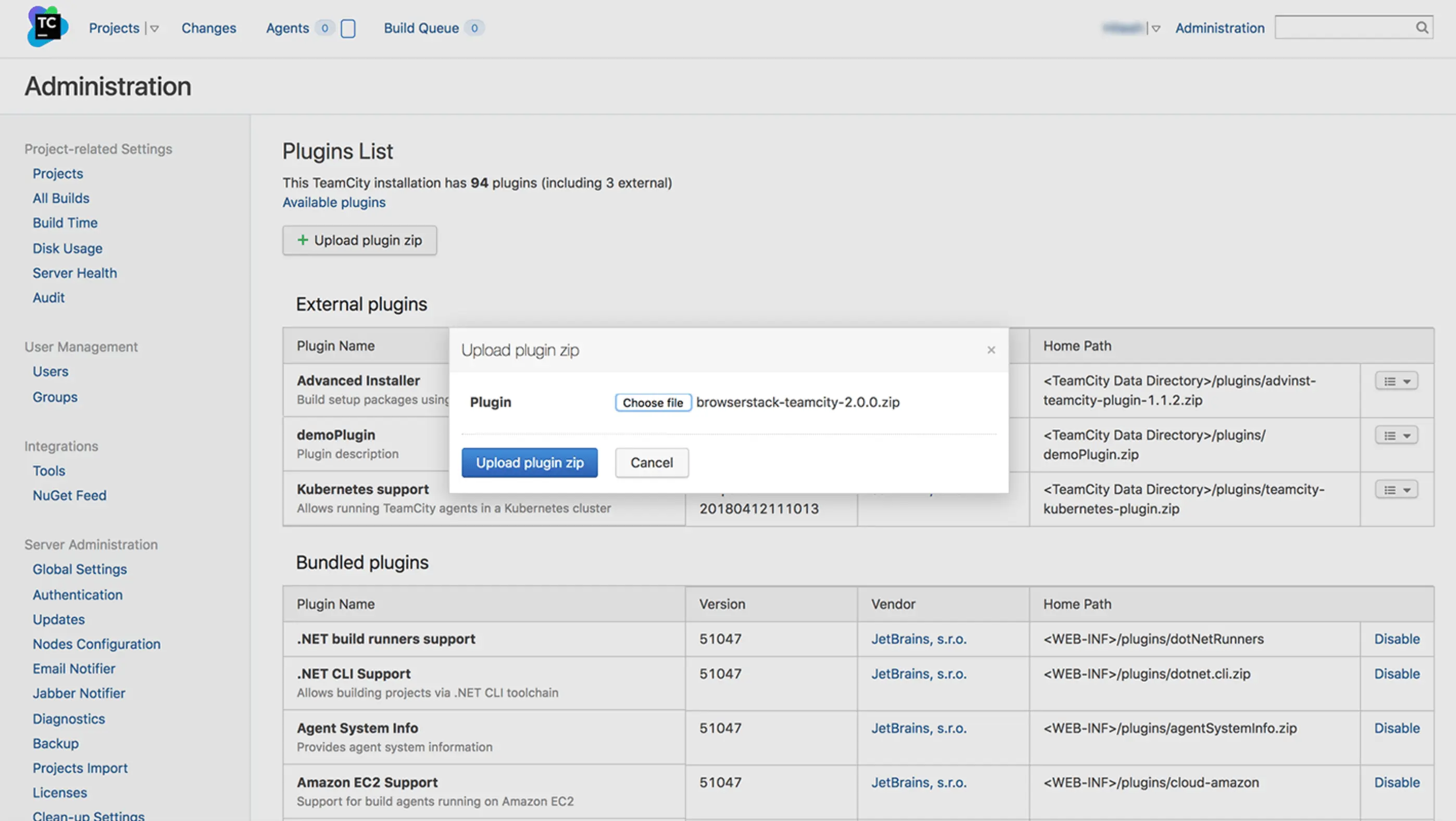
Click on upload plugin zip and upload our plugin
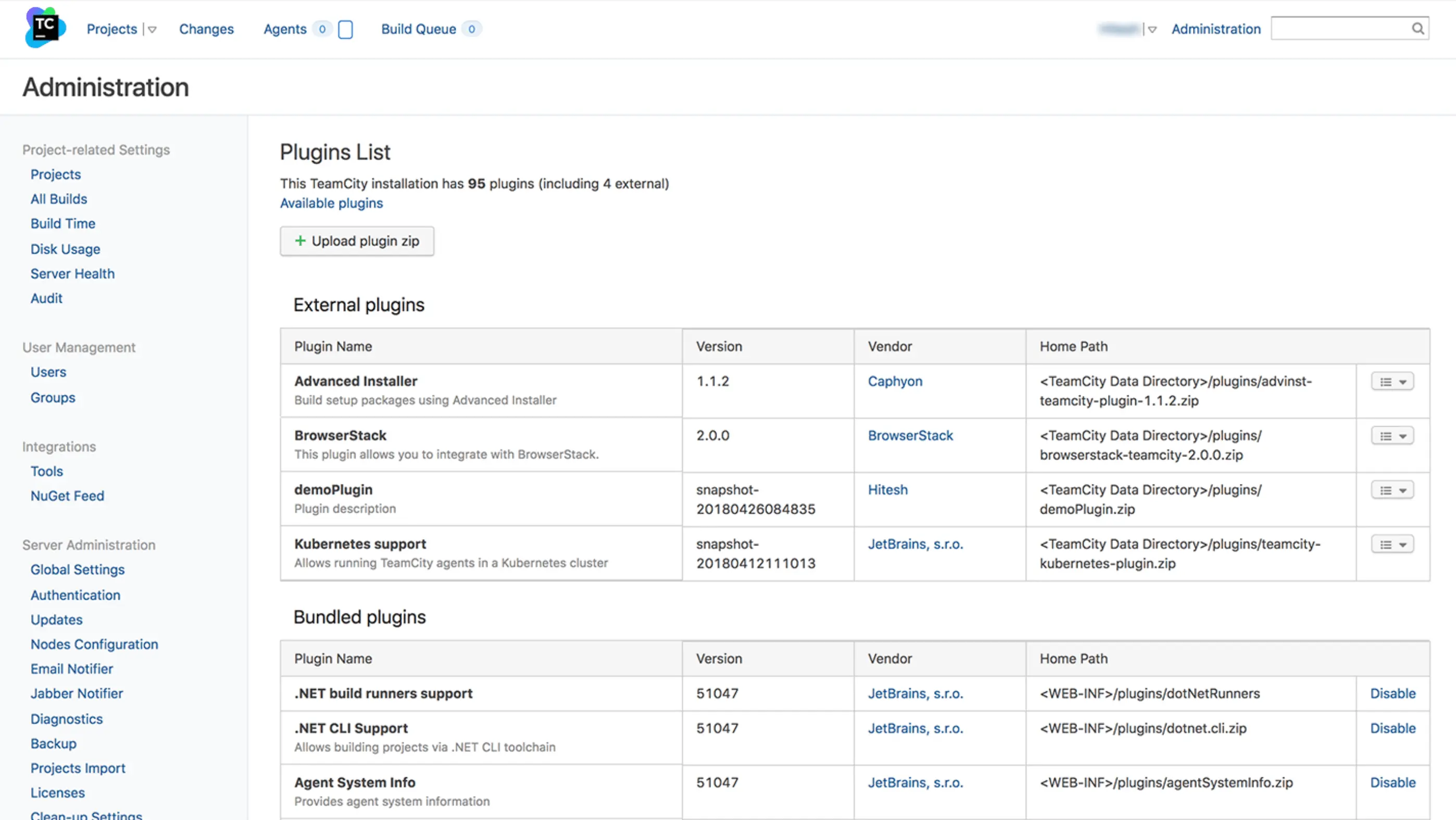
Restart TeamCity. You should now see BrowserStack in your list of available Plugins
Configuring Projects
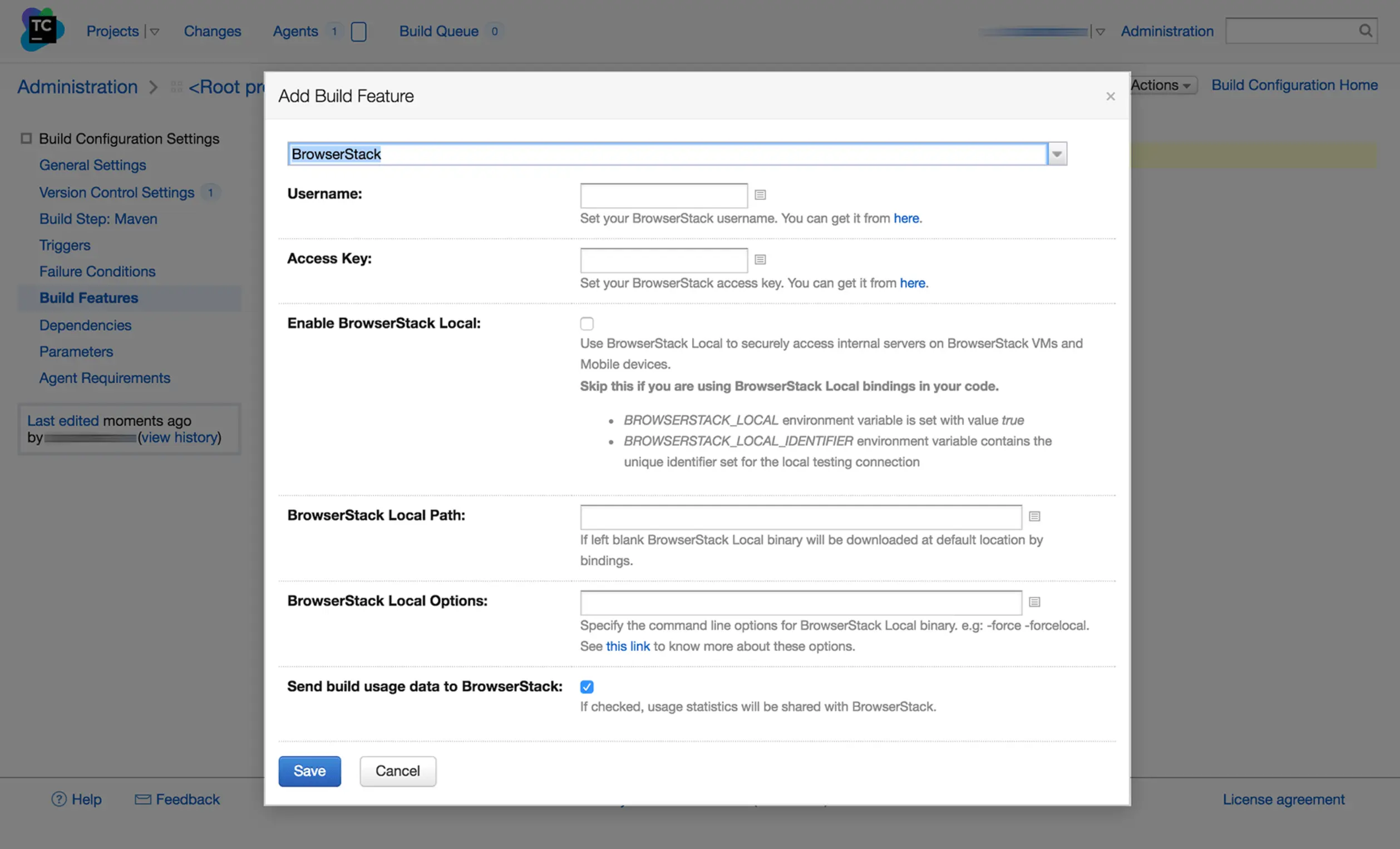
Click on Build features
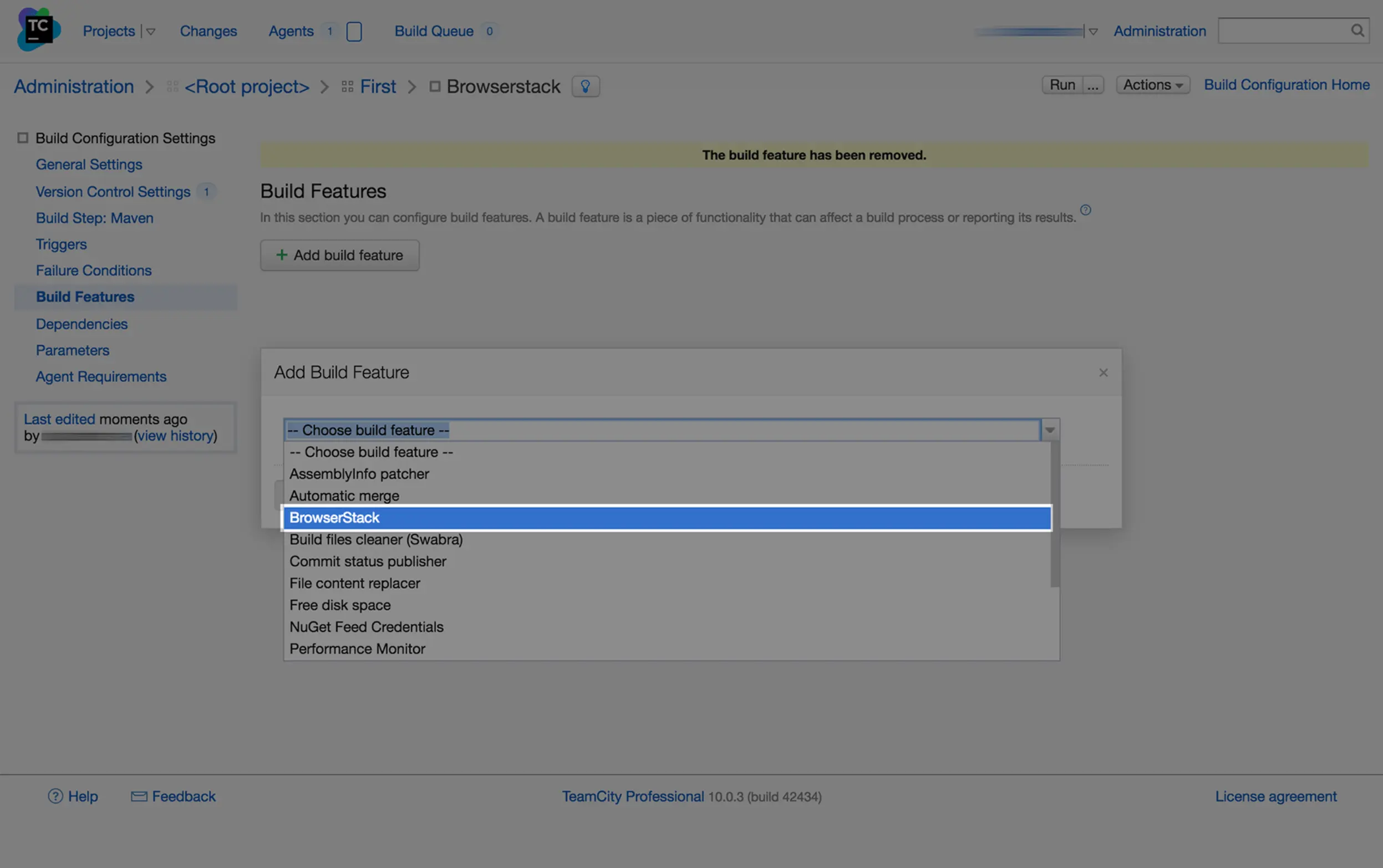
Click Add build feature and select BrowserStack from the list
Add your BrowserStack USERNAME and ACCESS_KEY, and select the options from the form
Save your changes
Configuring app upload step
Next, you will need to upload your app to the BrowserStack servers and for that, you will need to configure the app upload build step. Follow these steps to configure a build step to upload your app to the BrowserStack servers:
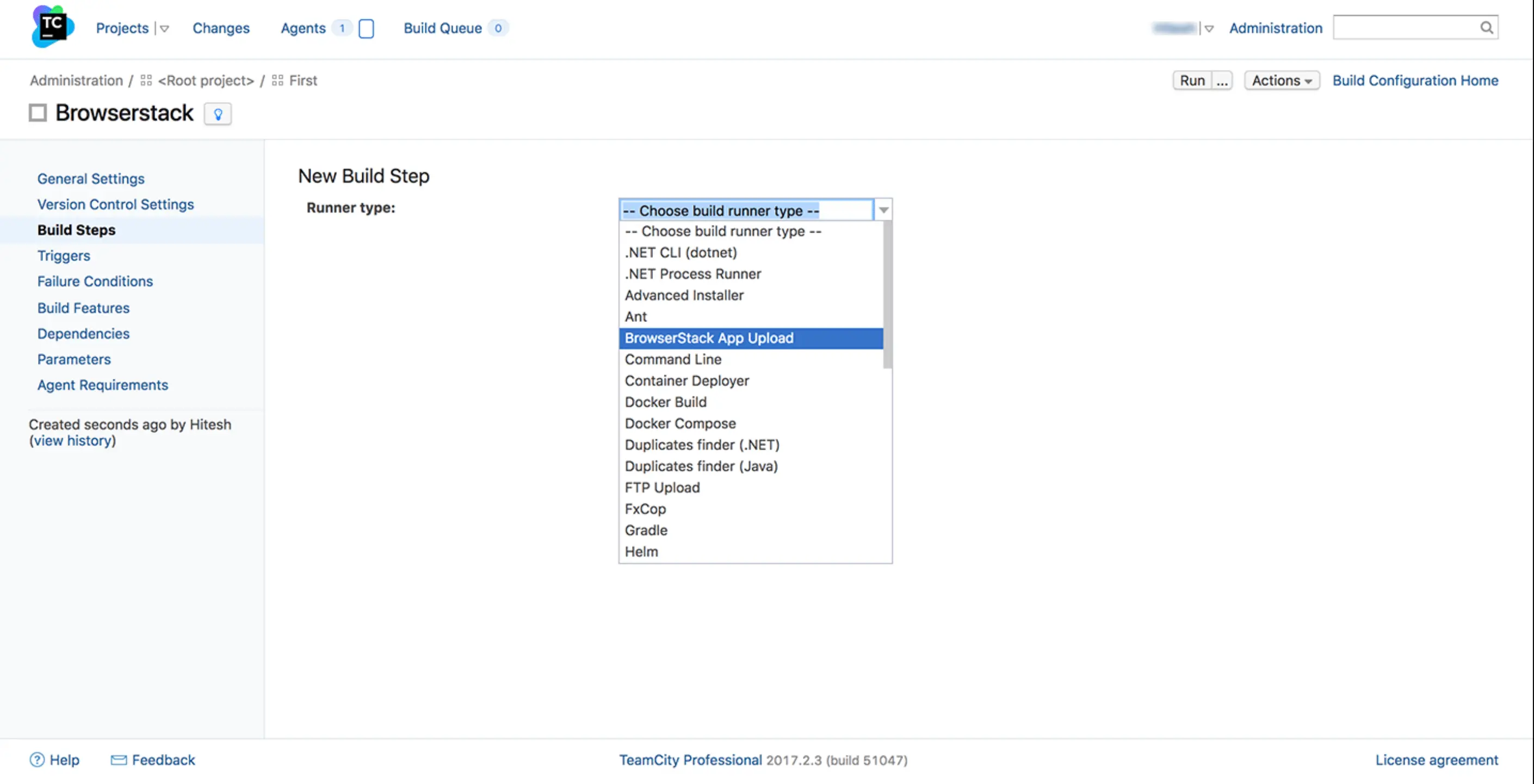
Go to Build Steps > New Build Step
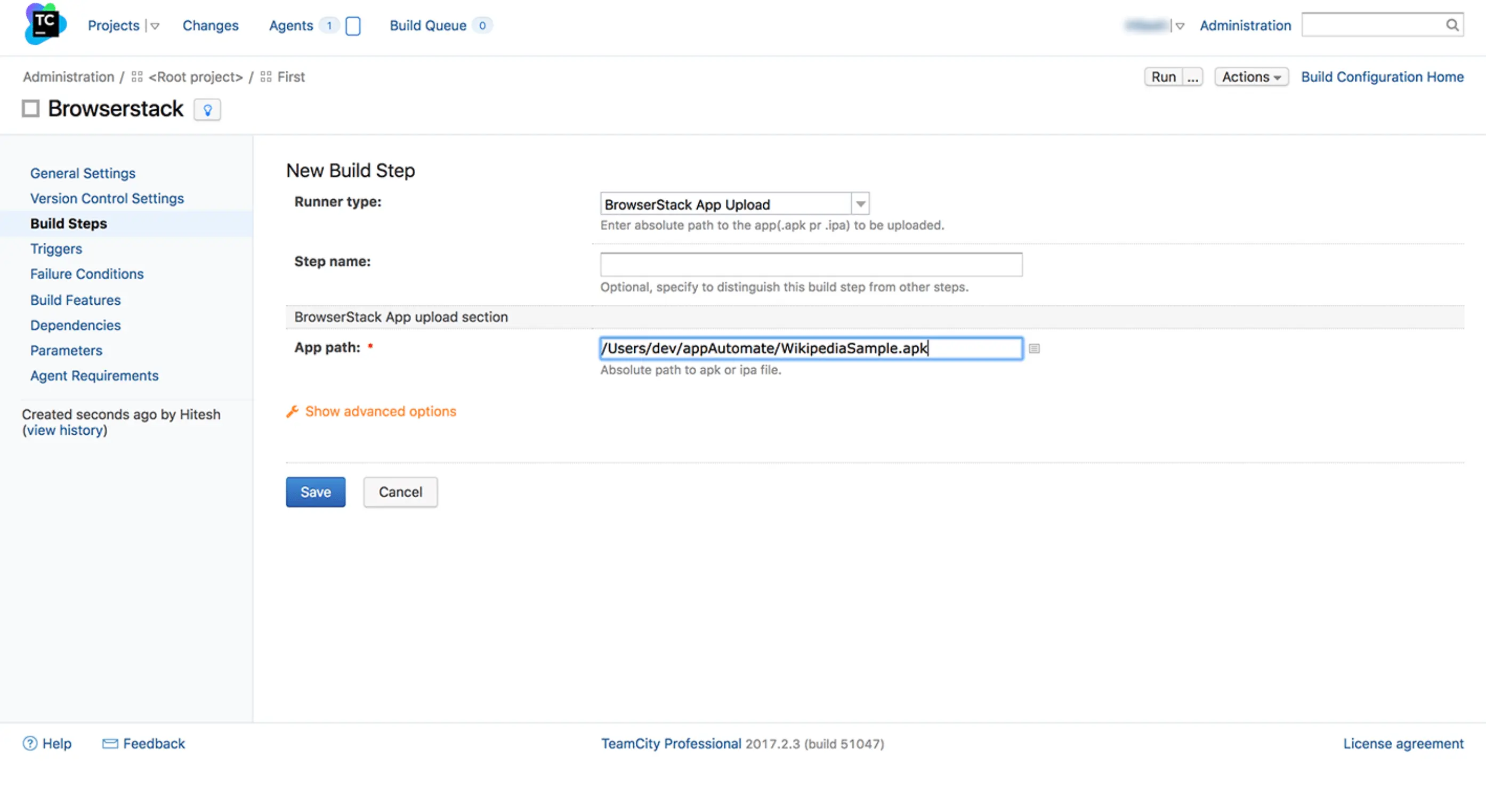
Select the Runner type as BrowserStack App Upload
Enter the path to your app file on the local TeamCity server and click save
Configuring Tests
Following environment variables are set by this TeamCity plugin:

 Join our Discord