In web development and API communication, secure data exchange is paramount. One of the key mechanisms enabling authentication and authorization between clients and servers is the Authorization Header. This header helps ensure that only authenticated users or systems can access protected resources.
Whether you’re integrating third-party APIs or building custom authentication workflows, understanding how the Authorization Header works is fundamental to maintaining secure and reliable applications.
What is the Authorization Header?
The Authorization Header is an HTTP header used to transmit credentials or tokens that authenticate a user, service, or application. It tells the server who is making the request and provides the credentials needed to verify access. The header typically follows this structure:
Authorization:
Here, defines the authentication scheme (such as Basic, Bearer, or Digest), and contain the encoded token or key that proves the user’s identity. The server validates this information before granting access to requested resources.
For example:
Authorization: Bearer eyJhbGciOiJIUzI1NiIsInR5cCI6IkpXVCJ9…
This example uses a Bearer token, common in modern web APIs using OAuth 2.0 or JWT (JSON Web Token) standards.
How the Authorization Header Works?
When a client sends a request to a server, the Authorization Header accompanies that request to prove the user’s authenticity. The process usually involves the following steps:
- Client Request: The client includes the Authorization Header in its HTTP request with valid credentials.
- Server Validation: The server receives the header, extracts the credentials, and validates them against its authentication system.
- Access Control: If the credentials are valid, the server grants access to the protected endpoint; otherwise, it returns an HTTP 401 Unauthorized error.
This mechanism enables seamless, secure communication between clients and APIs without requiring the user to repeatedly log in or re-enter credentials.
Common Authorization Schemes
Different authentication methods use distinct schemes within the Authorization Header. Each serves specific use cases and security requirements.
Basic Authentication
Basic Authentication is one of the simplest methods for authorizing HTTP requests. The client encodes the username and password in Base64 and sends them with each request:
Authorization: Basic dXNlcm5hbWU6cGFzc3dvcmQ=
Although easy to implement, Basic Authentication poses security risks if used without HTTPS, as credentials can be exposed during transmission.
Bearer Token (e.g., JWT)
Bearer tokens are widely used in modern applications, especially with OAuth 2.0 and JWT-based authentication systems. The token grants access to protected resources without exposing user credentials.
Example:
Authorization: Bearer
The server validates this token and determines if the user or service has permission to access the requested data. Bearer tokens support stateless, scalable authentication, making them popular for APIs and microservices.
API Key and Other Custom Schemes
Some systems use API keys for authentication, which are simpler than tokens but less secure. The API key identifies the calling application and determines access privileges:
Authorization: ApiKey
Custom schemes can also be defined to meet organization-specific security needs, offering flexibility in managing authentication across distributed systems.
How to Use the Authorization Header (Code Examples)
The Authorization Header can be implemented across programming languages and frameworks. Below are some examples:
Using cURL:
curl -H “Authorization: Bearer ” https://api.example.com/data
In JavaScript (Fetch API):
fetch(‘https://api.example.com/data’, { headers: {

‘Authorization’: ‘Bearer ‘ + token

}

})

.then(response => response.json())

.then(data => console.log(data));
In Python (Requests):
import requestsheaders = {‘Authorization’: ‘Bearer ‘ + token}

response = requests.get(‘https://api.example.com/data’, headers=headers)

print(response.json())
These examples demonstrate how to include the Authorization Header in API calls across popular programming languages.
Read More:How to test redirect with Cypress
Debugging and Testing Authorization Header Usage
During API development, it’s essential to verify that the Authorization Header functions correctly. Debugging helps identify issues like invalid tokens, incorrect formatting, or server-side validation errors.
Tools and Techniques
Common tools like browser DevTools can help you inspect outgoing HTTP requests and confirm that headers are being sent as intended. However, more advanced debugging scenarios-such as modifying live requests or testing expired tokens-require more specialized tools.
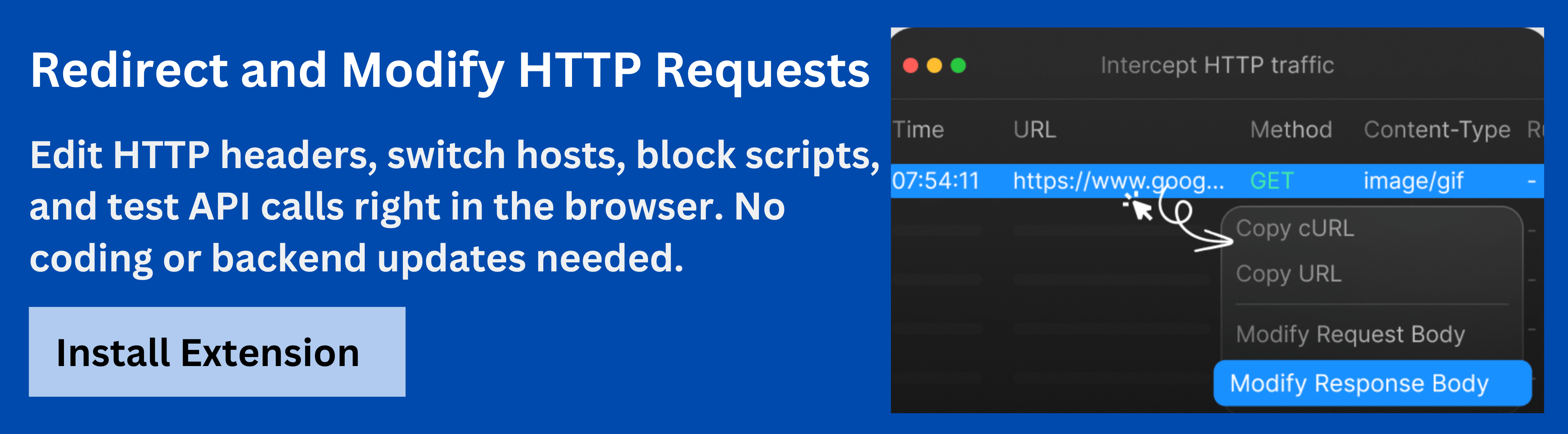
TheRequestly HTTP Interceptor offers developers a powerful way to debug and test Authorization Headers directly in the browser. With this tool, you can intercept, modify, and replay network requests to simulate different authentication states.
By using Requestly HTTP Interceptor, developers gain fine-grained control over network-level debugging, ensuring that authentication mechanisms are reliable and secure.
Security Best Practices for the Authorization Header
Since Authorization Headers often carry sensitive credentials, following security best practices is critical:
- Always use HTTPS: This ensures credentials and tokens are encrypted during transmission.
- Avoid storing tokens in local storage: Prefer secure storage mechanisms like HttpOnly cookies.
- Use short-lived tokens: Limit exposure by rotating tokens regularly.
- Validate tokens on every request: Verify signature and expiration to prevent replay attacks.
- Restrict API access: Implement scope-based access control to minimize unauthorized usage.
Proper handling of Authorization Headers helps maintain data integrity and safeguard APIs against common security threats.
Read More: What Is API Automation Testing?
Common Mistakes and Challenges
Even seasoned developers can face issues with Authorization Headers. Some of the most frequent challenges include:
- Missing or malformed header: Forgetting to include the “Authorization” key or incorrect capitalization can result in 401 errors.
- Expired tokens: Tokens with short expiration windows can fail authentication unexpectedly.
- CORS issues: Cross-origin requests might block Authorization Headers if not explicitly allowed by the server’s CORS configuration.
Identifying and resolving these challenges early helps improve API reliability and reduces integration errors.
Real-World Examples and Use Cases
The Authorization Header is used in nearly every modern web service. For example:
- OAuth 2.0 APIs: Platforms like Google, GitHub, and Facebook use Bearer tokens for secure access.
- Internal Microservices: Services authenticate intercommunication using JWTs.
- Custom Enterprise Systems: Organizations use API keys or HMAC signatures for enhanced security.
These implementations demonstrate the flexibility of the Authorization Header in managing authentication across varied architectures.
Conclusion
The Authorization Header is central to modern web and API security, serving as the bridge between user identity and access control. Understanding how it works, choosing the right authentication scheme, and following security best practices ensures that applications remain protected and performant.
By integrating tools like Requestly HTTP Interceptor, developers can debug, test, and validate Authorization workflows efficiently-leading to more secure and reliable applications.


 Featured Article