Axios is one of the most popular JavaScript libraries for making HTTP requests. It simplifies communication between clients and APIs by providing a clean, promise-based interface. Whether you are building a frontend web app or a backend Node.js service, Axios offers robust functionality for handling requests, responses, and errors efficiently. Among its features, the GET request method is commonly used to retrieve data from servers, making it an essential concept for developers to master.
What is Axios and Why Use It for GET Requests?
Axios is a lightweight HTTP client built on top of XMLHttpRequest for browsers and the http module for Node.js. It enables developers to send and receive HTTP requests in a concise and flexible manner. Compared to using the native fetch() API, Axios provides several advantages:
- Promise-based API: Works seamlessly with modern async/await syntax.
- Automatic JSON transformation: Axios automatically parses JSON responses.
- Request and response interceptors: Allows developers to manipulate requests or responses before processing.
- Error handling: Provides clear status codes and structured error responses.
- Cross-browser compatibility: Works consistently across different environments.
These benefits make Axios the preferred choice for handling GET requests in both small projects and large-scale applications.
Read More:What is API testing (with Examples)
Installing and Importing Axios
Before using Axios, it must be installed in your project environment. You can add it using npm or yarn:
npm install axios# orOnce installed, import it in your script:
yarn add axios
For JavaScript (Frontend):
import axios from ‘axios’;For Node.js (Backend):
const axios = require(‘axios’);After importing, you can start making HTTP requests using the library.
Basic GET Request Using axios.get()
The simplest use of Axios is fetching data with the axios.get() method. Here’s an example:
axios.get(‘https://jsonplaceholder.typicode.com/posts’) .then(response => {

console.log(response.data);

})

.catch(error => {

console.error(‘Error fetching data:’, error);

});Explanation:- The URL defines the API endpoint.
- The .then() block handles the response after a successful call.
- The .catch() block captures any network or server errors.
This structure makes Axios GET requests easy to read and maintain.
Read More:What Is API Automation Testing?
GET Request with Query Parameters and Config Options
Axios allows adding query parameters and configuration options directly into the request:
axios.get(‘https://api.example.com/users’, { params: { role: ‘admin’, active: true },

headers: { ‘Authorization’: ‘Bearer ‘ }

})

.then(response => console.log(response.data))

.catch(error => console.error(error));
Key configuration options:- params: Adds query strings to the URL automatically.
- headers: Allows custom HTTP headers like authentication tokens.
- timeout: Cancels the request if it exceeds a defined time.
- baseURL: Defines a root URL for all requests.
This flexibility makes Axios ideal for building dynamic and secure API integrations.
Using Async/Await vs .then/.catch Syntax
Axios supports both traditional promise chaining and modern async/await patterns.
Using async/await:
async function fetchPosts() { try {

const response = await axios.get(‘https://jsonplaceholder.typicode.com/posts’);

console.log(response.data);

} catch (error) {

console.error(‘Error:’, error);

}

}

fetchPosts();
Benefits of async/await:- More readable code with synchronous-like flow.
- Easier debugging and error handling using try/catch blocks.
Async/await is preferred for cleaner and more maintainable code, especially in larger applications.
Read More: Top 10 Python REST API Frameworks in 2024
Handling Errors and Response Structure
Axios provides structured error responses, making it easier to handle different scenarios:
axios.get(‘https://api.invalidurl.com’) .then(response => console.log(response.data))Axios Response Object Includes:
.catch(error => {
if (error.response) {
console.error(‘Server error:’, error.response.status);
} else if (error.request) {
console.error(‘No response received:’, error.request);
} else {
console.error(‘Error setting up request:’, error.message);
}
});
- data: The response body from the server.
- status: HTTP status code.
- headers: Response headers.
- config: Original request configuration.
Proper error handling ensures more resilient applications and better debugging during development.
Advanced GET Scenarios: Concurrent Requests and Custom Instances
Axios can handle multiple GET requests simultaneously and also allows creating custom instances for specific configurations.
Concurrent requests:
Promise.all([ axios.get(‘https://api.example.com/users’),Custom Axios instance:
axios.get(‘https://api.example.com/products’)
])
.then(([users, products]) => {
console.log(‘Users:’, users.data);
console.log(‘Products:’, products.data);
})
.catch(error => console.error(error));
const api = axios.create({ baseURL: ‘https://api.example.com’,

timeout: 5000,

headers: { ‘Authorization’: ‘Bearer ‘ }

});
api.get(‘/dashboard’)

.then(response => console.log(response.data));
Creating custom instances helps maintain cleaner code and consistent configuration across multiple API endpoints.Debugging and Inspecting Axios GET Calls
Even well-structured requests may fail due to incorrect URLs, missing headers, or network issues. Debugging GET requests is essential for maintaining API reliability.
Using Interceptors
Axios interceptors allow you to log, modify, or monitor requests before they are sent or after responses are received:
axios.interceptors.request.use(config => { console.log(‘Outgoing Request:’, config);

return config;

}, error => Promise.reject(error));
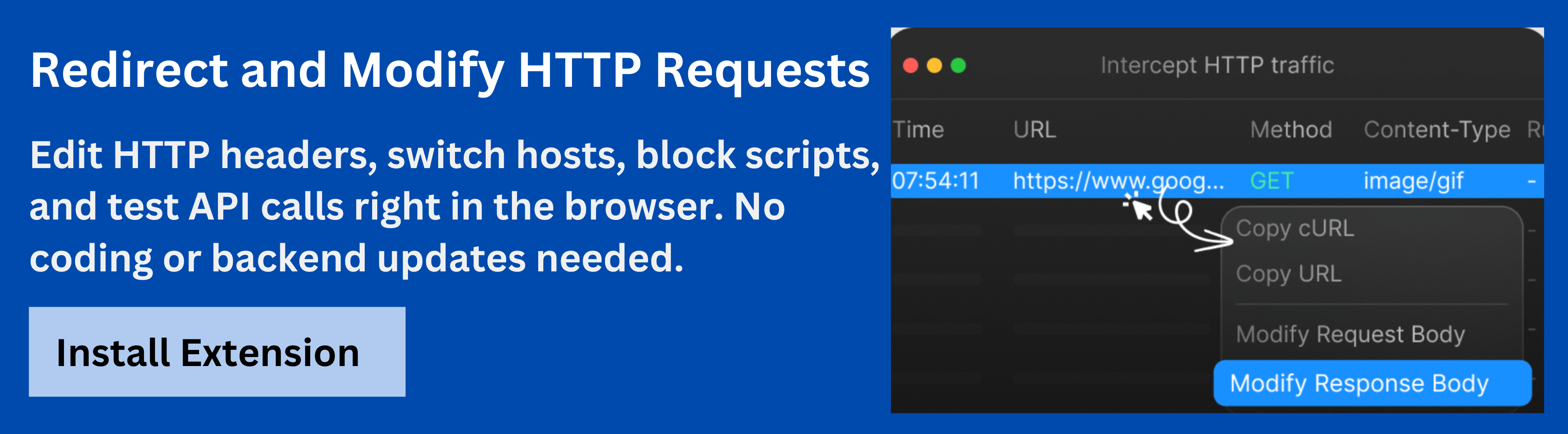
This helps track down missing parameters, incorrect tokens, or malformed URLs.The Requestly HTTP Interceptor is a powerful browser-based tool for inspecting and modifying HTTP requests in real time. Requestly HTTP Interceptor simplifies the debugging process, helping developers test different configurations efficiently and reduce manual troubleshooting during API development.
Best Practices for Axios GET Requests
To ensure smooth and secure Axios GET operations, consider the following best practices:
- Always handle errors: Use try/catch or .catch() to manage failures gracefully.
- Use interceptors: Centralize request logging and error handling.
- Define a base URL: Simplify API endpoint management.
- Avoid hardcoding credentials: Store tokens in environment variables or secure storage.
- Set timeouts: Prevent unresponsive requests from hanging the app.
- Use HTTPS: Always fetch data securely to protect user information.
Implementing these practices ensures more reliable and maintainable codebases.
Common Mistakes and How to Avoid Them
Developers frequently face these common issues when using Axios GET requests:
- Incorrect URL formatting: Missing slashes or parameters in URLs can break requests.
- Uncaught errors: Not handling rejections causes app crashes.
- CORS errors: Failing to configure server headers leads to blocked requests.
- Improper token usage: Forgetting to attach Authorization headers results in 401 errors.
Awareness of these pitfalls ensures faster debugging and stable API performance.
Conclusion
The Axios GET method provides a clean and efficient way to retrieve data from APIs in both client-side and server-side applications. Its simplicity, combined with advanced features like interceptors, makes it a go-to tool for developers building modern web and backend solutions.
By incorporating tools like the Requestly HTTP Interceptor, developers can debug and test their requests in real time-ensuring accurate, reliable, and secure API communication without code redeployment.


 Featured Article