* To cancel the auto-renewal of a plan, you need to be the Owner of the account.
* If your subscription was purchased through our Sales team, please contact your account representative or reach out to Support to request cancellation.

** Please check options A and B.
Option A:
If you purchased your subscription directly through our website, please follow these steps to cancel your plan and stop auto-renewal:
1. Go to the Account & Profile section.
2. Scroll down to the bottom of the page.
3. Click the "Cancel Plan" option
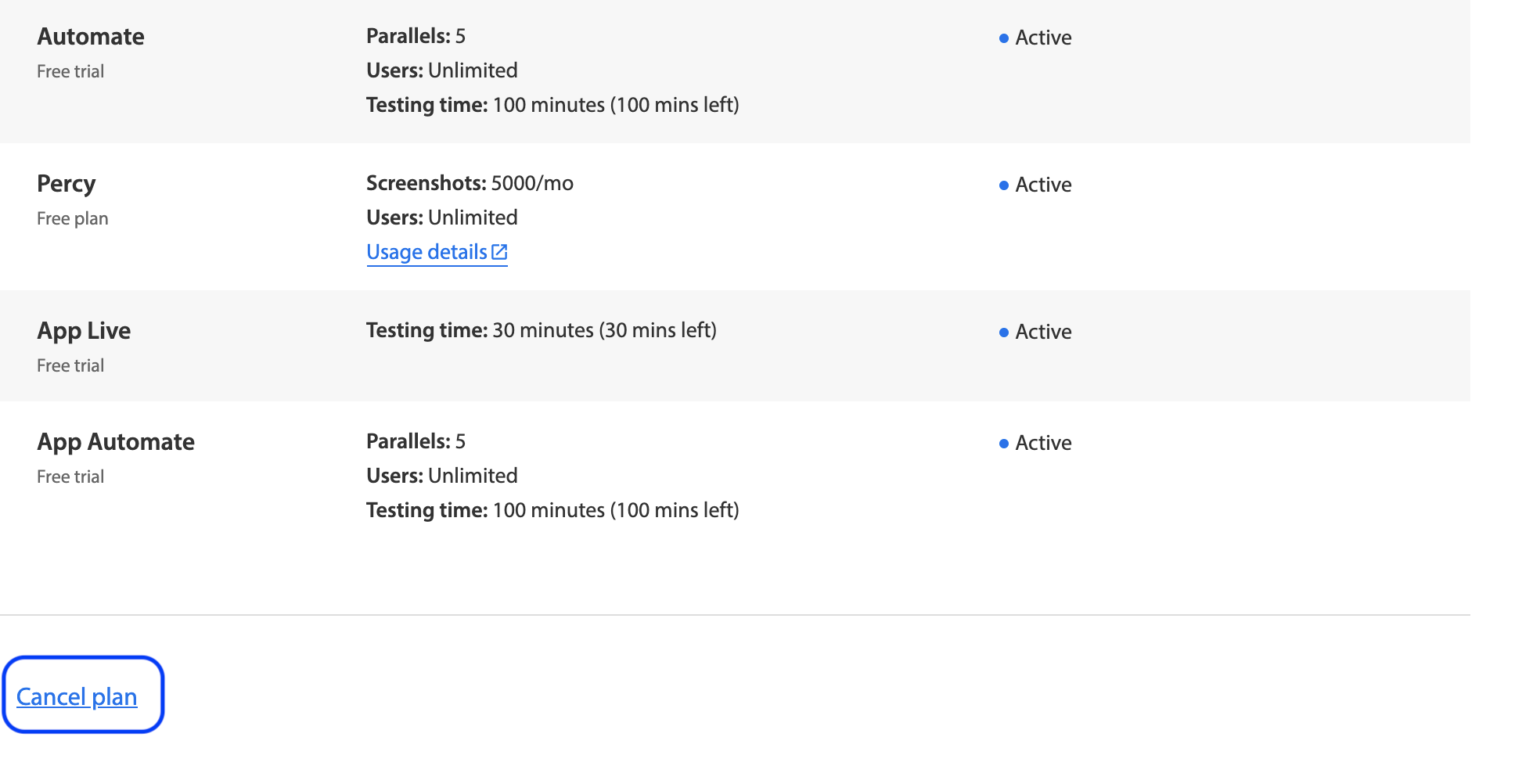
Note: This action will only stop the auto-renewal. You will retain access to the plan until the end of the current billing cycle.
============================================================================
Option B:
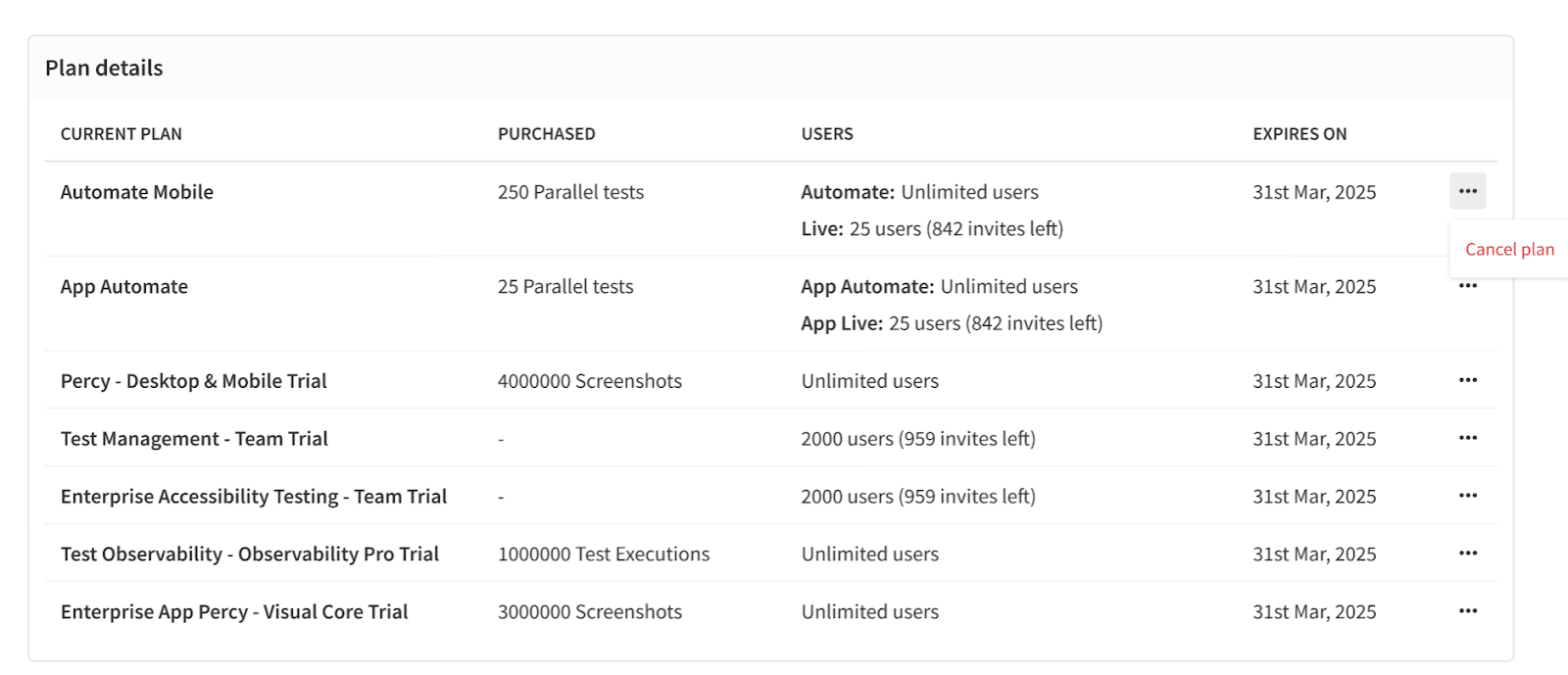
Few users you can cancel your plan using this option:
1. Go to the Account & Profile section.
2. Scroll down to the Plan details section.
3. Click the three dots icon next to the plan.
4. Click the Cancel Plan option.
Note: This option is currently available to a limited group of users as part of an A/B test.