The first time I tested an eCommerce website, I thought checking the product pages and the checkout flow would be enough—until I discovered how many hidden issues real users actually face.
That’s when I realized there’s a whole layer of testing most teams miss, and it’s often the reason carts get abandoned or payments fail.
Overview
How to test an ecommerce website?
- Understand the User Journey
- Test the Homepage & Navigation
- Validate Product Listing Pages (PLPs)
- Test Product Detail Pages (PDPs)
- Test the Shopping Cart
- Test the Checkout Flow
- Test Payment Gateway Integrations
- Test User Accounts & Authentication
- Test Search Functionality
- Conduct Performance & Load Testing
- Perform Security Testing
- Test Cross-Browser & Responsive Behavior
- Test on Real Devices (Real Device Cloud)
- Verify Localization & Currency Rules
- Validate SEO & Analytics Setup
- Test Notifications & Communication Flows
- Validate Admin & Backend Processes
In this guide, I’ll show you the exact process I use to uncover those problems before customers ever encounter them—and the one testing step people almost always overlook.
What is E-commerce Website Testing?
E-commerce website testing involves thoroughly examining and validating an online store to ensure its performance, functionality, and security.
This process helps identify and resolve potential issues before launching the website, ensuring a seamless shopping experience for customers. Developers must implement various testing approaches to guarantee the platform operates smoothly and meets user expectations.
Importance of Testing an E-commerce Website
Below are the key reasons why it is important to test an e-commerce website:
- Validates critical features like search, checkout, and payment processes to provide a hassle-free user experience.
- Protects sensitive customer data, building trust and safeguarding against data breaches.
- Identifies and resolves speed and scalability issues, ensuring the website handles high traffic effectively.
- Confirms that the website works flawlessly across various devices, browsers, and operating systems.
- Detects and fixes issues like crashes or errors that lead to abandoned carts, securing customer retention and sales.
Types of E-commerce Websites
Below are the types of E-commerce businesses and their different types of websites:
- Business-to-Consumer (B2C): In this common model, businesses sell products or services directly to consumers. Examples include Amazon and Walmart, offering a wide range of goods.
- Business-to-Business (B2B): Companies sell products or services to other businesses, often in bulk. Platforms like Alibaba and ThomasNet are popular in this space.
- Consumer-to-Consumer (C2C): Individuals buy and sell to one another through platforms like eBay and Craigslist, which facilitate these transactions.
- Consumer-to-Business (C2B): Consumers offer products or services to businesses, often through freelance work or content creation, as seen on Upwork and Fiverr.
- Subscription-Based: Customers pay a recurring fee to access a product or service, such as Netflix streaming or music on Spotify.
Test cases for an E-commerce website
Below are some of the important features and website sections that need to be tested in a typical e-commerce website:
- Home Page: Verify the correct display of text, images, and functional links (catalog, login, cart). Ensure dynamic and static content loads correctly.
- Search and Navigation: Test search functionality for accuracy and speed. Ensure users can easily navigate key sections like product categories, cart, and account info.
- Product Catalog: Ensure all products have accurate descriptions, clear images (zoomable), and visible Add to Cart buttons that work smoothly.
- Order Processing: Validate that the order details match the user’s selection, the shipping methods are correct, and the return/exchange policies are accessible before checkout.
- Payment and User Data: Test customer data security, privacy, and accuracy. Check payment validations (name, card details, OTP), currency conversion, payment cancellation, and order confirmation generation. Ensure flawless integration with external payment systems and test payment scenarios under varying conditions (e.g., weak networks).
To ensure that all the features and sections are working properly, some important test cases need to be performed for every e-commerce website, such as –
1. General Ecommerce Test Cases
- The user should be able to navigate to all the pages in the website
- There should be a fallback page for any page load errors
- Verify that all the links and banners work properly
2. Login/Registration test cases for Online Shopping Website
- Test for valid username and password
- Test “Forgot Password” and Reset Password functionality
- Validate If user is registered or not, and if not, provide an option to create an account
3. Shopping Cart
- Test that all items are added into the cart
- Test that all added items have at least a quantity, price, and delete option associated with it
- Test that the user can increase/decrease the quantity from the cart
Read Test Cases for ECommerce Website to get a comprehensive list of all important test cases for an e-commerce website.
Types of Tests to Run on E-Commerce Websites
Several different tests must be run to ensure that the eCommerce website facilitates a hassle-free shopping experience – something to keep them coming back.
Functional Testing
Functional Testing checks if the website works in accordance with pre-determined requirements. It answers the question: “Is everything working as it is supposed to?”
This encompasses everything from basic link functionality to whether data fields accept correct variables to if the right pop-ups are triggered at the right time. Functional tests comprise a variety of sub-categories: unit tests, smoke tests, sanity tests, regression tests, integration tests, usability tests, and more.
Since eCommerce websites have a host of functions as part of a user journey, functional testing is mandatory to ensure every one of them works as expected. However, given the number of links and fields any modern-day website carries, running functional tests will be tedious, time-consuming, and prone to errors.
You can perform automated testing of the functional tests for better efficiency. Tools like Selenium, Appium allows testers to create and execute automated functional tests on websites so as to verify site efficacy without having to put in endless man-hours and resources.
BrowserStack’s cloud Selenium grid allows QAs to run automated tests on 3500+ real browsers and devices. Testers can check how their sites behave in real-time and in real user conditions. They can even build test cases for eCommerce websites with dynamic web elements (promotions, coupons, updated product lists) to avoid unpleasant surprises when navigating the site.
Accessibility Testing
Accessibility tests ensure that a website (or app) is accessible to as many people as possible. In particular, it seeks to optimize software so that it can be accessed by individuals with disabilities – impaired vision or hearing, reading problems, physical or cognitive issues.
Not only does accessibility testing expand the potential user pool of an eCommerce website, but it also helps the site align with certain regulations such as Web Content Accessibility Guidelines (WCAG), Section 508, Americans With Disabilities Act (ADA). Depending on the country, these may just be guidelines and recommendations, or they may be legal requirements.
QAs execute accessibility tests to check if a site works well with assistive technologies – speech recognition software, screen readers, screen magnification tech, keyboards for individuals with motor function disorders, etc.
BrowserStack allows testers to run accessibility tests on real browsers and devices via BrowserStack Automate and axe library.
Performance Testing
Performance testing evaluates how a certain software performs under different conditions. Performance, in this case, refers to multiple variables: stability, scalability, speed, responsiveness – all under variant levels of traffic and load.
Performance testing is necessary to ensure that software operates at expected quality levels at all times. It checks parameters such as application output, data transfer speed, data processing speed, network bandwidth use, load-bearing capacity, memory consumption, command response times, etc.
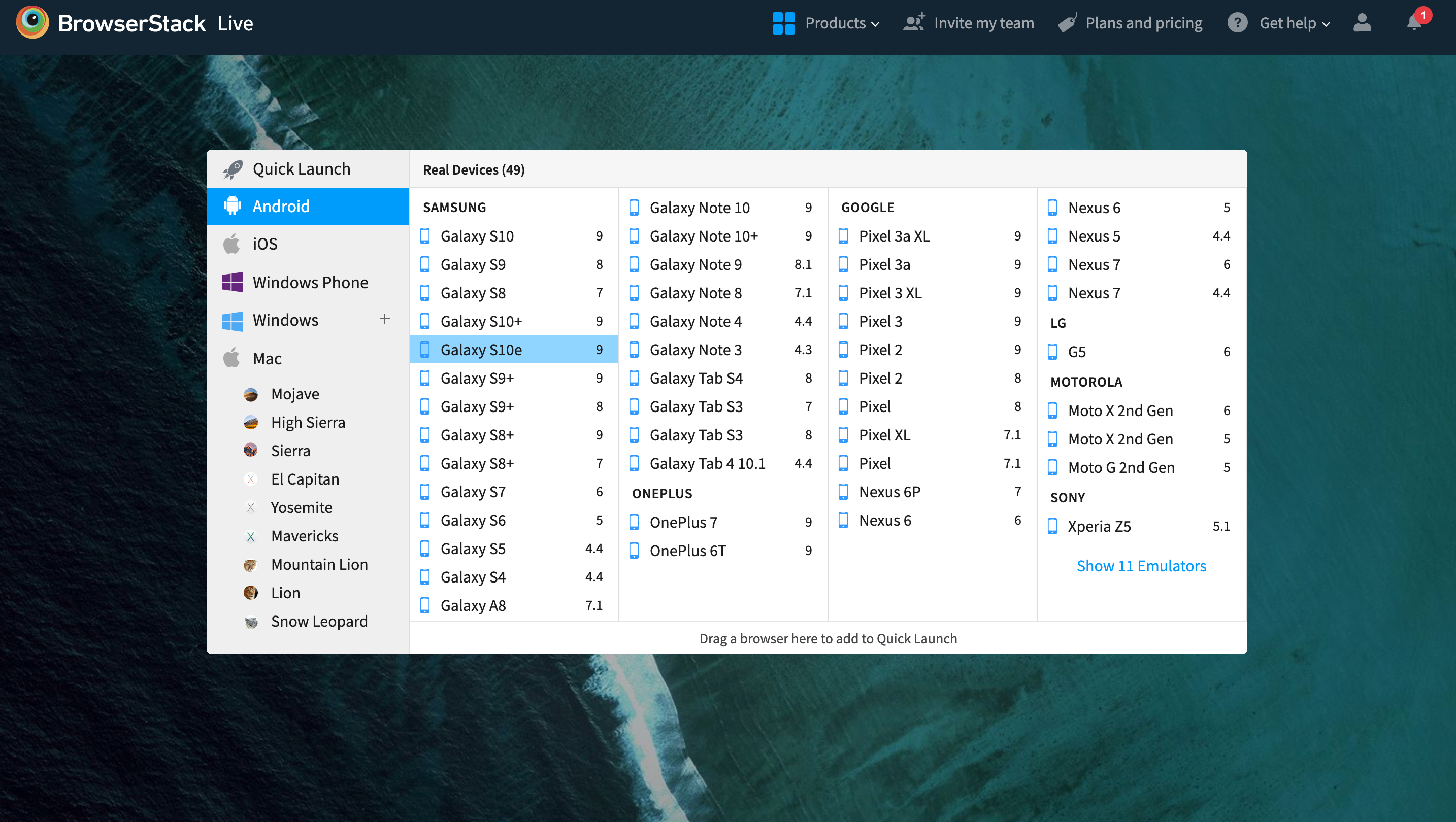
BrowserStack’s real device cloud provides a comprehensive set of tools to execute performance tests. In the real world, traffic comes from a multitude of devices (mobile and desktop), browsers, and operating systems. Performance tests must account for this variety. With a platform like BrowserStack, this is easy to accomplish.
Cross Browser Compatibility Testing
Expect every eCommerce website to be accessed from multiple browsers and multiple versions of each browser. The website will have to render perfectly on each browser and browser version, considering their various technical variances and idiosyncrasies.
The only way to ensure this is to perform comprehensive cross browser testing across real browsers and devices. Testers need to check how the website renders and operates in real user conditions, for which they need to test on multiple unique browser-device-OS combinations. Given that there are at least 63,000 possible browser-platform-device combinations in popular usage, QA teams need access to a massive on-premise device lab (constantly updated with newer devices) to perform satisfactory cross browser compatibility testing.
Not every organization has the finances or the human resources to set up and maintain such a lab, and they don’t have to. They can use BrowserStack’s cloud-based infrastructure hosting of 3500+ real browsers and devices. Be it manual testing or automated Selenium testing, testers can utilize BrowserStack to get 100% accurate results in real-world circumstances. Testers can also leverage Cypress testing on 30+ real browser versions.
Test Website on Real Browsers for Free
Cross-browser testing is a non-negotiable aspect of any eCommerce test. If an eCommerce site does not render perfectly on all major browsers, it will alienate users, leading to loss of traffic and potential revenue.
Website Speed Test
A report from kissmetrics states that a 1-second delay page response can result in a 7% reduction in conversion rate. Google also considers site speed as a factor when it comes to ranking search results.
Naturally, eCommerce websites must load as fast as possible, on every device-browser combination they are accessed from. A free tool like BrowserStack SpeedLab is perfect for running a website speed test on multiple real browser-device combinations. Simply enter the URL, and the tool will check site speed across a range of widely used device-browser combinations.
Read More: How to check website loading time
Mobile Website Compatibility Test
With most web traffic from mobile devices, eCommerce sites must be optimized for mobile viewing. Device and browser fragmentation can lead to issues with site rendering across different screen sizes and resolutions. To ensure proper functionality, developers use responsive design, which must be tested on real devices.
Testers can use BrowserStack’s responsive design checker to test on popular mobile devices on the real device cloud.
Regression testing
Regression testing confirms that new code changes do not break existing functionality. Each deployment risks introducing issues in browsing, cart logic, promotions, payment flow, or post-order features. Comprehensive regression suites ensure teams can release updates quickly without compromising the user experience.
BrowserStack Automate supports parallel test runs, allowing full regression coverage across browsers and devices in significantly less time.
A/B experiment testing
A/B testing helps validate UI variations, pricing displays, funnel optimizations, and content changes. Ensuring both variants behave consistently, render correctly across devices, and fire accurate analytics events is crucial for reliable experiment results. Mistakes here can distort insights or deliver inconsistent experiences to users.
End-to-end checkout testing
End-to-end testing evaluates the entire purchase flow—from adding a product to receiving order confirmation. It checks address handling, shipping rule application, tax and discount accuracy, payment completion, and post-order notifications. This is one of the highest-impact test areas because even minor errors can stop transactions.
BrowserStack’s real devices and browser grid allow teams to simulate checkout behavior exactly as customers experience it, revealing hidden friction early.
How to Test an E-commerce Website
Here is a detailed overview of how to test an ecommerce website:
- Step 1: Understand the User Journey: Map out the full customer flow—from landing on the site to completing a purchase—so you know exactly which paths to test.
- Step 2: Test the Homepage & Navigation: Verify menus, banners, search, CTAs, and category navigation work seamlessly across devices and browsers.
- Step 3: Validate Product Listing Pages (PLPs): Check filters, sorting, pagination, and ensure product tiles display correct images, prices, and availability.
- Step 4: Test Product Detail Pages (PDPs): Confirm images, variants, descriptions, reviews, pricing, and “Add to Cart” all work correctly and reflect accurate data.
- Step 5: Test the Shopping Cart: Ensure items can be added, updated, removed, and that totals, promos, shipping, and taxes calculate accurately.
- Step 6: Test the Checkout Flow: Validate guest checkout, login, address entry, shipping options, payment methods, review page, and order confirmation.
- Step 7: Test Payment Gateway Integrations: Simulate success, failure, timeout, and cancellation scenarios to ensure payments process securely and reliably.
- Step 8: Test User Accounts & Authentication: Verify signup, login, logout, password reset, profile edits, order history, and wishlist functions.
- Step 9: Test Search Functionality: Check for relevant results, autosuggestions, filtering, and proper handling of zero-result queries.
- Step 10: Conduct Performance & Load Testing: Evaluate how quickly pages load and how the site behaves under peak traffic or heavy transactions.
- Step 11: Perform Security Testing: Check for SSL enforcement, authentication issues, and vulnerabilities like XSS, SQL injection, and CSRF.
- Step 12: Test Cross-Browser & Responsive Behavior: Confirm consistent UI and functionality on Chrome, Safari, Firefox, Edge, mobile browsers, and various screen sizes.
- Step 13: Test on Real Devices (Real Device Cloud): Validate mobile UX, gestures, network conditions, keyboard behaviors, and device-specific quirks using real hardware—not just emulators.
- Step 14: Verify Localization & Currency Rules: Check that language, currency, date formats, taxes, and region-specific content display correctly.
- Step 15: Validate SEO & Analytics Setup: Ensure meta tags, schema markup, sitemaps, and conversion events (add to cart, checkout, purchase) fire accurately.
- Step 16: Test Notifications & Communication Flows: Confirm order emails, SMS alerts, push notifications, and opt-in preferences work as intended.
- Step 17: Validate Admin & Backend Processes: Test product management, inventory sync, order processing, refunds, coupons, and CMS updates.
Tools for Testing E-Commerce Site
Below are two commonly used tools for testing and E-commerce website:
- BrowserStack: A cloud-based platform for cross-browser and device testing. It enables testing on real devices and browsers, ensuring your e-commerce site performs seamlessly across different platforms. It supports manual and automated testing, offering comprehensive coverage without physical devices.
- Selenium: An open-source tool for automating web browsers, ideal for testing e-commerce sites. It helps automate tasks like product search and checkout validation across various browsers, ensuring smooth functionality.
Common Bugs in E-commerce Website Testing
Below are some common bugs in e-commerce website testing and their solutions:
1. Absent Product Data: A common issue on eCommerce sites is missing product data, such as details about color, size, images, titles, or product specifications. It can also include anomalies like products not appearing in search results or not being added to the cart. This issue can significantly hinder a customer’s ability to view or purchase a product, directly impacting revenue.
Solution: Ensure that there is a checklist to verify all product details when uploading products to the site.
2. Redirect Error: Missing redirects can severely impact eCommerce websites, especially when pages are migrated to new URLs. This can negatively affect organic search rankings, paid search results, and the overall user experience. While spotting errors on key pages is easier, secondary pages may be overlooked.
Solution:Work with a dedicated team or an SEO agency to map out and configure proper redirects across all pages.
3. Poor Images without Zoom Function: Shoppers are often hesitant to buy products online because they cannot see or touch them in person. High-quality product images that showcase the product from various angles and include a zoom feature are essential to overcome this skepticism.
Solution: Invest in professional photography and ensure all images have zoom functionality for a closer look at details and features.
4. Low Page Load Speed: Slow-loading pages can cause high abandonment rates, with up to 53% of mobile visitors leaving a site if it takes longer than 3 seconds to load. Fast load times are critical for user experience and revenue generation and can also impact Google rankings.
Solution:Test the site on BrowserStack SpeedLab to optimize page load speed across different browser-device-OS combinations.
Read More: How to speed up WordPress site
5. Malfunctioning Payment Function: Payment processing errors can have severe consequences, including jeopardizing customer funds. A malfunctioning payment system must be addressed immediately, as it can lead to customer dissatisfaction and loss of sales.
Solution: Ensure rigorous data security measures for payment details and support multiple payment methods to accommodate customer preferences.
Challenges of E-commerce Testing
Here are some key challenges when it comes to E-commerce website testing:
- Often, eCommerce websites use content management systems like Shopify, Woocommerce to build the site in the shortest possible time. However, these platforms offer integration with third-party services for various purposes – gift cards, social media features, online payment management, etc. However, too many third-party integrations increase testing effort, as each of them needs to seamlessly and securely communicate and interact with the site.
- With new devices and browser versions coming into existence as fast as you can blink, eCommerce website testing must keep up. However, it isn’t an easy task to identify every new device-browser-OS combination, procure them, run tests, and undertake optimizations to make the site compatible with the new kids on the block.
- eCommerce sites offer a large number of functions for uses to leverage. Isolating every single function and user scenario for testing can be quite difficult, at least in the initial rounds of testing.
- Given that eCommerce sites tend to store the financial information of an extensive userbase, they are heavily targeted by hackers. Keeping this information safe from repeated attacks requires significant effort, skill, and know-how.
Best Practices for eCommerce Testing
Here are the key practices that ensure every part of an eCommerce experience works reliably across devices, browsers, and real user conditions.
Testing Customer Journey
Testing the customer journey is one of the most critical best practices for e-commerce quality assurance because it reveals how real shoppers experience the site from start to finish. Instead of testing features in isolation, the focus is on validating complete paths—browsing, searching, evaluating products, adding items to the cart, and completing checkout. Every step should be evaluated for clarity, friction, and potential drop-off points.
In the eCommerce expert podcast – ‘Why Your Website Is Too Complicated and How to Fix It’, Ben Sharf, Co-founder of Platter, says: “Give your website to a seven-year-old and a ninety-year-old and see what happens. That’s the simplest way to test your customer journey—because what feels obvious to you won’t be obvious to the people you need it to be.”
Test Payment Gateways Thoroughly
Payment failures directly impact revenue, so tests should simulate successful transactions, declines, timeouts, and gateway-specific behaviors. Validate redirects, tokenization flows, error messaging, refund processes, and webhook responses.
It’s also important to confirm secure handling of sensitive data and proper implementation of 3D Secure or OTP-based authentication when required.
Validate Performance Under Load
Slow pages increase cart abandonment, especially during high-traffic sales. Stress and load testing help measure server response times, API throughput, caching behavior, and scalability under peak demand.
Monitor how the site reacts during flash sales, concurrent checkouts, or high search volume to identify performance bottlenecks before users encounter them.
Ensure Responsive and Cross-Browser Compatibility
Customers shop on varied browsers and devices, so UI, layout, and JavaScript interactions must remain consistent.
Test across major browsers, screen sizes, and platforms to uncover rendering issues, broken layouts, misaligned elements, or inconsistent behavior in dynamic components. Real device testing is critical because mobile traffic drives a significant share of eCommerce conversions.
Validate Search Relevance and Personalization
Search is often a revenue driver. Test ranking accuracy, autocomplete, typo handling, synonym support, and personalized recommendations. Confirm that filters and sorting options retain state, load quickly, and generate correct results across categories and price ranges.
Assess Security and Compliance
An eCommerce site handles personal and financial data, making security non-negotiable. Test for OWASP vulnerabilities, secure session handling, CSRF protection, proper access control, and safe storage of user information. Ensure compliance with PCI DSS for payment data and GDPR/CCPA for user privacy where applicable.
Check Localization and Multi-Currency Support
Global storefronts require accurate translations, region-specific content, localized pricing, currency conversion rules, date formats, and address validation. Verify tax calculations and shipping rules across regions to avoid cart abandonment due to incorrect or confusing information.
Read More: How to perform localization testing
Test Notifications and Communication Flows
Emails, SMS alerts, push notifications, and order-status updates must trigger correctly. Validate templates, personalization fields, delays, and integrations with communication providers. Broken notifications impact trust and customer retention.
Validate Order Management and Inventory Handling
Ensure stock updates, order creation, cancellations, refunds, and returns work reliably. Test edge scenarios such as simultaneous checkouts, low-inventory races, incorrect stock counts, and partial shipments. Confirm that admin dashboards receive accurate and real-time updates.
Automate Recurring Tests
Automate regression tests for high-value flows like login, search, cart, checkout, and payments. Use CI pipelines to trigger these tests on every build to catch issues introduced by new releases. Automation reduces repetitive effort and ensures consistent coverage.
Use Real Device Cloud Testing
Testing on emulators isn’t enough for eCommerce scenarios that rely heavily on UI accuracy and JavaScript behavior. Real device cloud platforms—such as BrowserStack—enable testing across thousands of real browsers and devices, helping teams catch layout issues, performance gaps, and logic inconsistencies that directly impact conversions.
eCommerce Testing Checklist
A complete eCommerce testing checklist helps ensure every user interaction—from browsing to checkout—works smoothly across devices and conditions.
1. Homepage & Navigation
- Homepage loads correctly: Banners, hero images, and CTAs render properly.
- Menu navigation works: Categories and subcategories lead to correct pages.
- Search bar functions: Accepts queries and shows relevant suggestions/results.
- Breadcrumbs guide users: Navigation trail reflects correct page hierarchy.
- Customer journey flow is validated: Users can seamlessly move from browsing to product pages, cart, and checkout without friction or confusion.
2. Product Listing Page (PLP)
- Filters apply correctly: Size, color, price, and category filter results accurately.
- Sorting works: Sort by price, relevance, popularity, etc. produces correct order.
- Pagination/infinite scroll: Loads additional products smoothly without errors.
- Product tiles accurate: Display correct images, titles, prices, and availability.
3. Product Detail Page (PDP)
- Product assets load: Images, videos, and zoom features function properly.
- Product data accurate: SKU, pricing, stock, variants, and descriptions are correct.
- Add-to-cart functional: Item adds with correct variant and quantity.
- Reviews shown properly: Ratings, comments, and review counts display correctly.
4. Shopping Cart
- Cart updates correctly: Add, remove, and quantity edits recalculate prices.
- Promos apply accurately: Coupons, discounts, and special offers work as expected.
- Totals calculated right: Subtotal, shipping, tax, and final total are correct.
- Persistent cart works: Items remain across sessions and devices.
5. Checkout Flow
- Guest checkout works: Allows purchase without account creation.
- Address entry validated: Shipping/billing fields accept valid inputs only.
- Delivery options correct: Shipping methods and fees match rules.
- Order completion: Review page correct and confirmation email triggered.
6. Payment Gateway
- Successful payments process: Valid cards or wallets complete the transaction.
- Failed/declined cases handled: Clear messaging for invalid or declined payments.
- Cancellation/timeout tested: User cancellations and network timeouts processed safely.
- 3D secure/OTP works: Authentication steps load and verify properly.
7. User Account
- Account access functions: Signup, login, logout, and password reset work.
- Profile editable: User can update personal and address details.
- Order history accurate: List of past orders with correct statuses.
- Wishlist functions: Add/remove items and persistent storage.
8. Search Functionality
- Relevant results: Exact, partial, and misspelled queries return appropriate products.
- Filters on search results: Category or attribute filters refine search output.
- Autosuggest works: Shows relevant suggestions as the user types.
- No results page: Displays helpful messaging and recommendations.
9. Performance & Load
- Fast page load: Meets defined performance thresholds.
- Stable under load: Handles peak traffic without errors or slowdowns.
- API responsiveness: Backend services return consistently fast responses.
- Optimized assets: Images, scripts, and CSS load efficiently.
10. Security
- SSL enforced: All pages load securely via HTTPS.
- Vulnerability protection: Guards against XSS, SQL injection, CSRF, and other attacks.
- Secure password handling: Strong policies and encrypted storage.
- Safe error messages: No sensitive system details exposed.
11. Cross-Browser & Responsiveness
- Browser compatibility: Works correctly on Chrome, Safari, Firefox, and Edge.
- Responsive design: Layout adapts across mobile, tablet, and desktop screens.
- Touch interactions work: Gestures like tap, swipe, and zoom behave as expected.
- UI consistency: Fonts, spacing, and components appear uniform across environments.
12. Real Device Cloud Testing
- Device coverage: Test on popular real iOS and Android devices.
- Browser variation: Validate on mobile Chrome, Safari, Firefox, Edge, Samsung Internet.
- Network simulation: Test flows under 2G/3G/4G/5G, Wi-Fi drop, and high-latency scenarios.
- Mobile-specific behavior: Check gestures, keyboard input, popups, and layout issues.
- Device-native features: Test camera uploads, file pickers, push notifications, etc.
13. Localization & Currency
- Translations accurate: UI text and messages appear in selected language.
- Currency formats correct: Prices reflect currency, symbols, and rounding rules.
- Localized fields: Date, time, and address formats adapt to locale.
- Geo-based adjustments: Region-specific content and shipping rules apply.
14. SEO & Analytics
- SEO metadata correct: Title, meta descriptions, canonical tags present.
- Structured data valid: Schema markup passes validation tools.
- Tracking events fire: Add-to-cart, checkout, and purchase events recorded properly.
- Sitemaps/robots configured: Crawlers access correct content.
15. Notifications
- Email triggers work: Order, shipping, and reset emails send correctly.
- SMS notifications: Delivery, OTP, and status messages deliver properly.
- Push notifications (if applicable): Sent and deep-link to correct screens.
- Opt-in management: Preferences save and update correctly.
16. Admin & Backend
- Product management: Admin can add, edit, or remove products.
- Inventory updates: Stock syncs correctly between frontend and backend.
- Order management: Status updates, refunds, and cancellations function properly.
- Content updates: CMS pages and banners update and publish successfully.
Conclusion
When building test scenarios for eCommerce websites, take the above categories into account. Of course, depending on the nature of the suite, more types of tests may be required. However, the tests described above must necessarily form a part of any QA blueprint pertaining to an eCommerce site. Use this article as the foundation from which to start shaping the expanding test cycles required for optimized eCommerce site performance.